I am the founder of VizyPlan and the parent of an autistic son. I want to be honest about the vantage point I am writing from. I have not personally lived inside every visual schedule app on this list. What I have done is spend a lot of time reading what other parents say about them. App Store reviews. Reddit threads. National Autistic Society forums. Common Sense Media write-ups. The patterns are remarkably consistent, and they were a big part of why I ended up building my own app instead of just downloading another one.
This is a roundup written from that vantage point. A founder, listening to hundreds of parent reviews, plus my own experience as a dad whose son's nervous system did not engage with stock pictograms. I tried to write the post I wish I had found four years ago. That means I am going to send some of you to apps that are not mine, because for your family they are the better fit. And I am going to be honest about where my own app falls short.
Visual schedule apps for autism are a crowded category in 2026, and most of the comparison roundups online are either thinly disguised affiliate posts or generic listicles that copy each other. This is a parent's roundup. Eight apps below, anchored in what real users say about each one, with the gap I kept seeing across all of them named clearly at the end.
Why Visual Schedules Matter Before We Talk About Apps
The CDC's most recent estimate puts autism prevalence at 1 in 31 U.S. children, which means more parents than ever are looking for tools that work. Visual schedules are one of the most-studied of those tools.
A widely cited 2015 review in the Journal of Autism and Developmental Disorders by Knight, Sartini, and Spriggs concluded that visual activity schedules meet the criteria of an evidence-based practice for individuals with autism. A 2012 systematic review by Lequia, Machalicek, and Rispoli found that activity schedules reduced challenging behavior across the studies they examined, particularly during transitions. The National Clearinghouse on Autism Evidence and Practice review at UNC's FPG Child Development Institute lists visual supports among its evidence-based practices for autism.
In plain English: when a child can see what is happening next, the world feels less ambushy. The schedule offloads working memory, reduces the cognitive load of guessing, and gives your child a predictable shared reference. That is why transition meltdowns often soften once a visual schedule is in place. It is not magic. It is just structure your child can see.
If you are new to all of this, start with the visual schedules primer. This post assumes you already know why you want one and just need help picking the app.
What Actually Matters When You Pick a Visual Schedule App
These are the criteria I came back to again and again as I read parent reviews. Most reviews praised one of these and complained about another, and the gaps clustered around the same two or three issues no matter which app the parent was using.
Personalization of images. This is the one that surprised me most. Many autistic children struggle with stimulus generalization, which means a clipart sink does not always tell their brain "your sink." Reviews of every app I looked at had a version of this complaint. Either the app gives you stock pictograms that do not feel like your child's world, or it makes you do all the photo work yourself. If you want to go deeper, here is more on personalized visuals for neurodivergent kids.
Customization of step order and length. Routines change. Mondays are not Tuesdays. The app needs to let you reorder, swap, and shorten steps without rebuilding the whole routine.
Audio and text-to-speech. Pre-readers and gestalt language processors often benefit from hearing the step name read aloud. Tap-to-hear is small but meaningful.
Family and caregiver sharing. Two-household families, grandparents, after-school programs, respite caregivers. Apps locked to one device fail real life.
Offline use. Schedules get used in cars with no signal, at grandma's house with bad wifi, on planes. Cloud-only apps that brick offline are a real-world failure point.
Neurodivergent-friendly UI. Calm colors, no flashing reward animations, no pop-ups that interrupt mid-step. Sensory load matters as much for the kid as for the parent trying to help them through it.
Cost model. One-time vs. subscription is a real tradeoff. Subscription apps see more frequent updates. One-time apps risk going stale and breaking on iOS upgrades.
Platform fit and age fit. iOS-only excludes Android families. Picture-first apps fit pre-readers. Calendar-style apps fit older kids who can read times.
The personalization criterion is the hidden one. It comes up over and over in parent reviews, dressed up as different complaints, and it is the criterion that quietly decides whether your child engages with the schedule at all.
The 8 Visual Schedule Apps for Autism, Compared
| App | Platforms | Price model | Strongest praise in reviews | Most common gap in reviews | |---|---|---|---|---| | VizyPlan | iOS, web | Subscription with free trial | Personalized images that match the child's actual life | Newer to market, iOS-first, time-picker limited to 30-min increments | | Choiceworks | iPhone, iPad, Vision | $29.99 one-time | Three boards, therapist-recommended, customizable | Battery drain (autolock issue), dated visuals, iPad-first | | First Then Visual Schedule HD | iPhone, iPad | $14.99 one-time | Helps families "ditch the cumbersome PECS" | Photo work is parent-intensive, UI feels older | | Visual Schedule Planner | iPad | $14.99 one-time | Day/week/month + audio/video per step | iPad-only, UI shows its age, no AI personalization | | Brili Routines | iOS, Android, web | $7.99/mo, free trial | On-time mornings, kids completing routines independently | Timer pressure backfires for some kids, library images not personalized | | Tiimo | iOS, Android, web | $7.99/mo or $79.99/yr | ND-led design, "supported, not pressured" | Too abstract for under 8, calendar-style not picture-first | | Goally | Dedicated tablet | $369–$449 + $9/mo after year 1 | Locked-down kid device, ends "constant nagging" | Steep cost, geared to "higher-functioning" kids, parent-app bugs | | AutiPlan | Web, Android viewer | $7.99/mo, 30-day free trial | Strong pictogram library, prints physical schedules | Not a polished native app, utility over child-delight |
Now the per-app cards.
VizyPlan
Platforms. iOS app, web companion at app.vizyplan.com.
Price. Subscription with a free trial. Visit the App Store for current pricing.
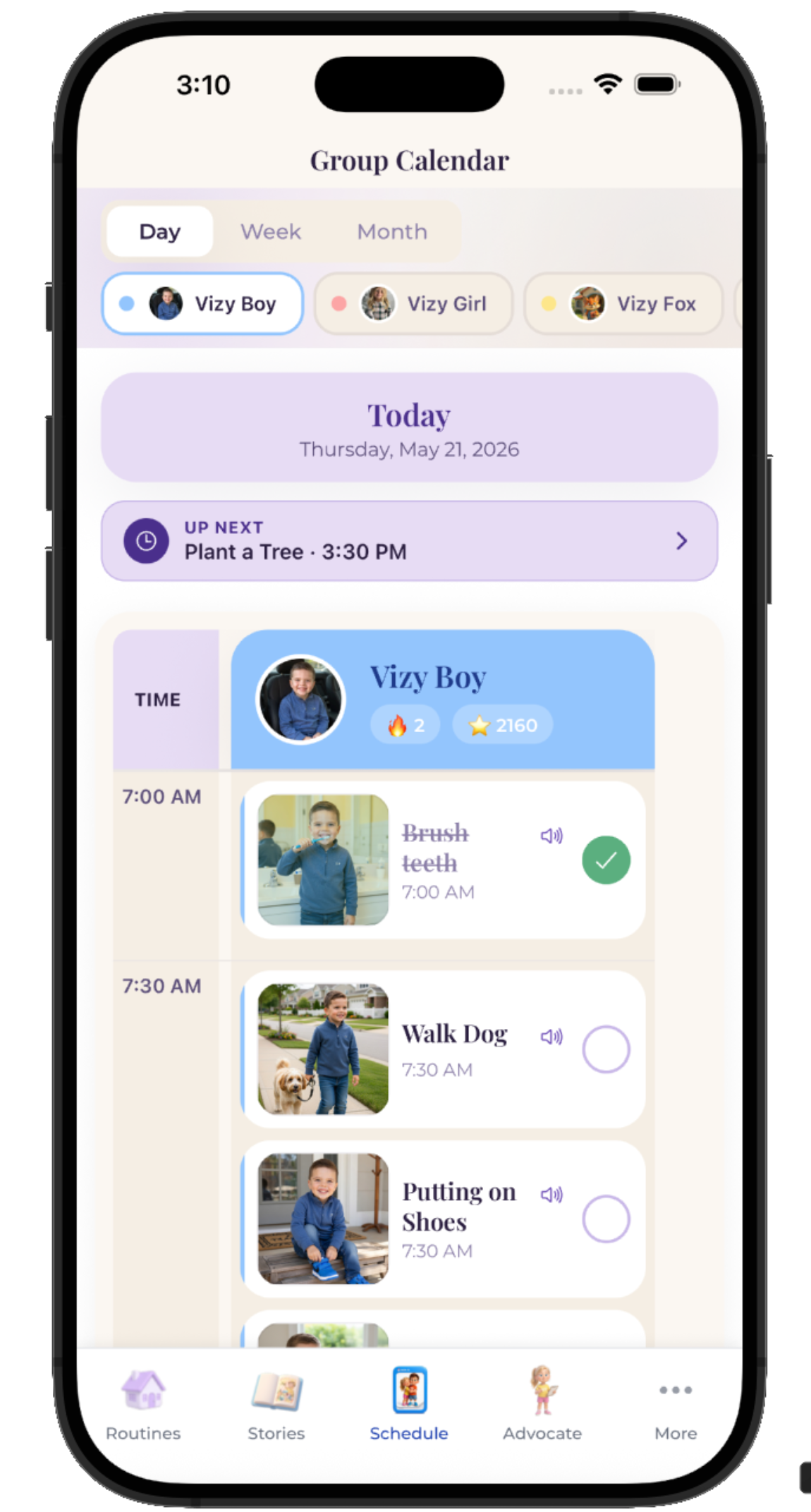
What parents say works. Users who switched from PECS pictograms or stock-image apps consistently mention that having a personalized image of their child's actual environment unlocks engagement that generic pictures did not. Here is what Lisa, an autism mom who uses the app, sent us:
> "I love being able to use his photo. It helps him stay focused and he actually wants to look at it. The schedules we have used in the past with the regular PECS pics didn't work as well. One thing I wish we could do that was a little difficult is when selecting a time (ie: bedtime), having the ability to use minutes other than :00 and :30. For example, at bedtime, 8:00 brush teeth, 8:10 or 8:15 read story, 8:30 bedtime. Instead, I have 8:00 brush teeth, 8:30 read story, 9:00 bedtime. When I had brush teeth, story and bedtime all at 8:00, it kept mixing them up. That's really the only thing I have had an issue with." > — Lisa, autism mom
I am quoting Lisa in full because the praise lands but the critique lands harder, and I want to be honest about both. The 10-minute time-picker increment she names is a real limitation and it is on our roadmap. The fact that her one frustration is a UI choice rather than the personalization itself is the validation I needed in the first year of building VizyPlan.
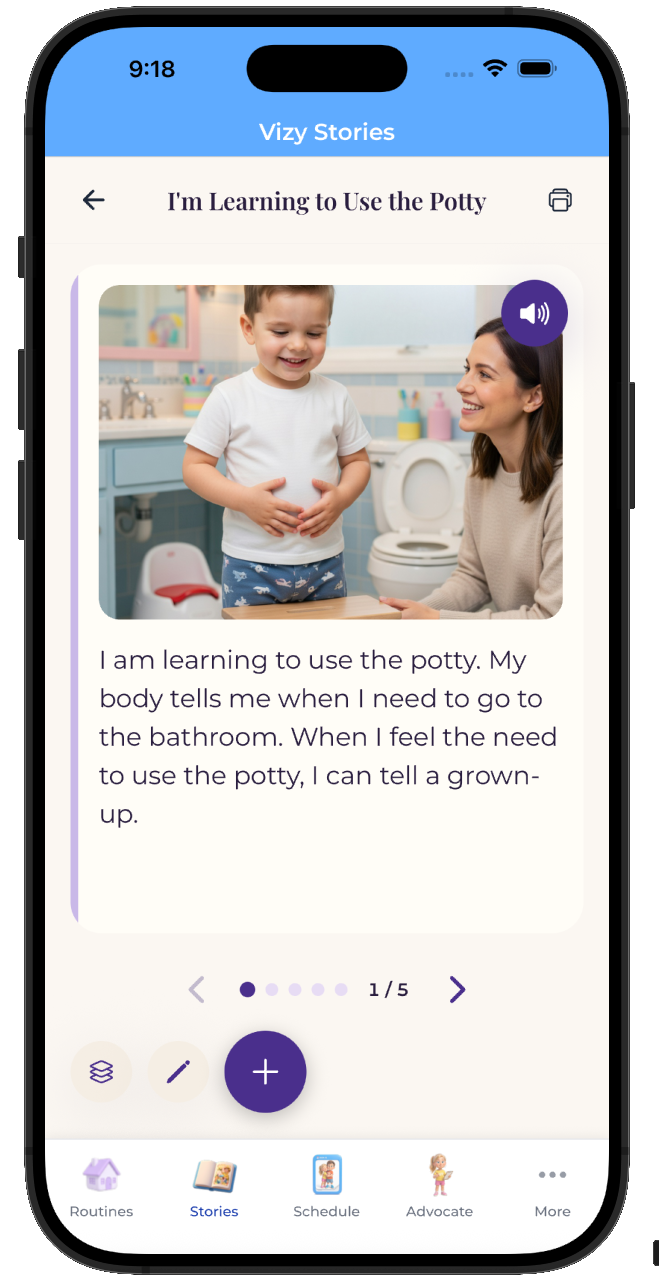
Who it is for. Pre-readers and early readers. Kids who have rejected stock pictograms or asked you for "the real one." Families who want their morning, after-school, and bedtime routines to look like their actual home rather than a clipart catalog. More on why AI-generated images matter for visual supports.
Drawbacks. Newer to market than Choiceworks or First Then, so the user base is smaller. iOS-first; if your household is Android only, this is not the right fit yet. Subscription rather than one-time purchase. And the time-picker increment Lisa called out is a real one we are working on.
Choiceworks
Vendor. Bee Visual, LLC.
Platforms. iPhone, iPad, iPod, Apple Vision. Requires iOS 15.6 or later.
Price. $29.99 one-time. Updated to v14.1 in October 2025.
What parents say works. Choiceworks shows up frequently in therapist recommendations, and SLPs and OTs often introduce it first. Parents on review sites mention being able to use personal photos and voice recordings, the three-board system (schedule, waiting, feelings), reduced meltdowns, and "no longer needing to write out schedules" as the most common wins. Pair it with the first/then format and the feelings or choice board approach for a complete toolkit.
Common gaps in reviews. The most-cited App Store complaint is that the app prevents the device from going into auto-lock or sleep mode, which drains the battery and is not toggleable in settings. Several parents call the stock library "clinical" or "dated." The layout is iPad-first, which can feel cramped on iPhone.
Who it is for. Families already working with a therapist who recommends Choiceworks. Children who benefit from pairing a schedule with a feelings board. Anyone who wants to pay once and own the app forever.
Where it falls short. The library leans toward generic clipart, which is the personalization gap that runs through this whole post. You can upload your own photos, but every step is parent labor.
First Then Visual Schedule HD
Vendor. Good Karma Applications.
Platforms. iPhone and iPad, iOS 9.3 or later.
Price. $14.99 one-time. Updated to v2.41 in October 2025.
What parents say works. This is the app most cited in parent reviews for "finally letting us ditch the cumbersome PECS." One parent of a 5-year-old wrote that the app "met and exceeded" expectations, especially for difficult transitions in public settings. Several reviews mention that the developer responds personally over email. The simple first/then format is intentional, not a limitation, for younger kids.
Common gaps in reviews. Almost every review that praises the photo personalization ends with the same caveat: it is a lot of parent labor. Every new step means taking, cropping, and uploading another photo. The UI also feels older than its 2025 update suggests, and the format is intentionally minimal, which is exactly right for some kids and too sparse for others who want more visual richness.
Who it is for. Parents who want to photograph the real routine and drop those photos into a schedule, and who have time to do that work. Families who want to pay once and not deal with a subscription.
Where it falls short. The app makes personalization possible but does not automate it. If you are short on time for photo curation, you will end up using stock images by default.
Visual Schedule Planner
Vendor. Good Karma Applications, the same publisher as First Then.
Enjoying this article?
Get practical tips and insights delivered to your inbox — no spam, ever.
Platforms. iPad.
Price. $14.99 one-time.
What parents say works. Day, week, and month views. This is closer to a calendar than a single-routine schedule. You can attach audio and video to each step, which is useful for homework routines and for older kids who need more context per task.
Common gaps in reviews. Reviewers mention iPad-only as a real limitation if your child uses an iPhone. The UI shows its age the same way First Then does. There is no AI image generation and no automatic photo importing, so personalization once again falls back to manual photo work or library images.
Who it is for. Older children in the 6 to 9 range who need to see "what is Tuesday" instead of just "what is now." Kids who need a step-by-step plus video model.
Where it falls short. Same personalization gap as First Then. Library or your own labor.
Brili Routines
Platforms. iOS, Android, web.
Price. $7.99 a month, $34.99 for six months, or $49.99 a year, with a 10-day free trial.
What parents say works. Reviews on Common Sense Media and parenting forums repeatedly mention going "from being late to work every day to getting there comfortably on time" and kids "finally able to get themselves ready independently." Brili was built with ADHD time-blindness in mind, and many families find it especially helpful for morning routines that keep slipping off track. Cross-platform, which is a real advantage in mixed-OS households.
Common gaps in reviews. A few autistic-child parents note that the visual countdown timer can backfire when their child needs flexible pacing rather than time pressure. Step images come from a library rather than personalized for the child. One of the more memorable parent reviews pointed out the irony of a time-limited trial for an app aimed at users with time-blindness. Some reviewers also mention that the shift from physical-world rewards to digital ones makes the gamification feel less motivating after a few weeks.
Who it is for. Kids with an ADHD profile (with or without co-occurring autism) who lose track of time mid-step. Families with one Android parent and one iPhone parent. Anyone who wants the schedule on every device.
Where it falls short. Personalization is not the strength here. The timer is. If your child is a pre-reader who cares more about pictures of their world than time pressure, this may not be the fit.
Tiimo
Platforms. iOS, Android, web.
Price. $7.99 a month or $79.99 a year (about $6.67 a month).
What parents say works. Tiimo was designed by and for the neurodivergent community. The team has been public about ND leadership, and the UI reflects it. Parent and adult-user reviews consistently mention that "other apps make me feel guilty for not completing tasks; Tiimo makes me feel supported, not pressured." The app was named Apple iPhone App of the Year for 2025, which is a real credential. For older kids, teens, and ND adults, it is one of the best-looking and most respectful tools in the category.
Common gaps in reviews. For young children under about 8, the calendar-style interface assumes more reading and abstraction than they have. Reviews from parents of younger autistic kids note that Tiimo is a stretch in that age range. Picture-first it is not. The monthly price also adds up faster than a one-time-purchase app, especially if you are using it for years.
Who it is for. Older kids, teens, and adults who want a tool that does not look like a "kids' therapy app." Families looking for the next step after their child outgrows picture-only apps.
Where it falls short. Same personalization story, just at a more abstract layer. Beautiful blocks, not your child's bathroom.
Goally
Platforms. Goally hardware tablet only. There is no software-only option.
Price. $369 for the compact tablet, $449 for the larger screen. Apps free for the first 12 months, then $9 a month after that.
What parents say works. Goally is a locked-down kid device, and that is the central value proposition. Parent reviews praise that there is no browser, no social media, no advertising, and that it has "ended the constant nagging" for routines like brushing teeth or starting homework. For families who have been fighting screen-time blockers and parental controls for years, the dedicated device is a real shift.
Common gaps in reviews. The price is the most-cited concern, as you would expect. Beyond that, several parent reviews note that Goally is "geared toward higher-functioning kids" (their words, not mine) and that the parent app has crashed during routine customization. There is also a critical perspective from at least one reviewer who has flagged that Goally lacks published peer-reviewed scientific studies behind some of its claims, which is worth knowing if you care about that. And of course, hardware ties you to one ecosystem.
Who it is for. Families who want the schedule and the device to be one purchase. Households where screen-time blockers and parental controls have been a constant battle.
Where it falls short. Big upfront cost, ecosystem lock-in, and the same stock-versus-self-photo personalization tradeoff. If your child already has an iPad they like, you are buying a second device.
AutiPlan
Platforms. Web-based with an Android viewer app.
Price. $7.99 a month with a 30-day free trial, plus a free personal-account tier. Last updated January 2026.
What parents say works. Originally built in Europe for Dutch and German parents, AutiPlan has a strong pictogram library and is designed to print physical schedules as easily as it shows digital ones. One parent on a National Autistic Society forum noted their child "does not get angry when small problems arise because he can concentrate on his tasks, knows exactly what is expected of him, and because he knows how much time is remaining for each activity, he does not get as many panic attacks as before."
Common gaps in reviews. It is not a polished native mobile app. The UI is more utility than child-delight. Reviewers describe it as best on a laptop or iPad browser rather than on a phone.
Who it is for. Parents who want both a printed schedule and a digital one. Households where the schedule lives on the wall, not just on a screen. Families who like a strong pictogram library over photos or AI.
Where it falls short. Same pictogram-library personalization layer that runs through most of this list, with a less polished mobile experience on top.
How to Choose a Visual Schedule App in 5 Steps
This is the order I would walk through if I were starting over.
- Match the app to your child's reading level. Pre-readers need picture-first apps with little or no text. Early readers can handle short word labels under each image. Older kids who can read time can benefit from calendar-style apps like Tiimo. Pick the format that matches where your child is right now, not where you hope they will be in six months.
- Decide if you want stock images or personalized images. If your child already follows a printed schedule with stock pictograms at school or therapy, a library-based app like Choiceworks may transfer easily. If your child has consistently rejected stock pictures, asks you for "the real one," or seems to register photos of their actual home far more than clipart, prioritize apps with photo upload (First Then) or AI-generated images (VizyPlan).
- Check the platforms for every device the schedule will live on. If grandma uses Android and you use iPhone, you need a cross-platform app like Brili or Tiimo, or one with a web companion. If only one device matters, an iOS-only app is fine. Map out every adult and every device before you commit.
- Try the free trial before committing. Every app on this list has either a free trial, a free tier, or a one-time price low enough to test risk-free. Use a real routine for one full week before deciding. A new app always feels promising on day one. Day five is when you find out if it actually fits your family.
- Watch your child use it for two weeks. The right app is the one your child actually opens without being prompted. If they never tap it, it is the wrong app, no matter how clinical-grade it looks. Watch their face, not the marketing page.
The Gap I Kept Seeing Across Every Review
After reading parent reviews of these eight apps for months, I started noticing the same complaint surfacing across products that look very different from each other. Parents wanted images that looked like their child's actual world. Either the app gave them stock pictograms that did not connect, the way clinical clipart of a generic bathroom does not look like their bathroom, or the app made them do all the photo work themselves, which works but eats parent time fast.
Choiceworks lets you upload personal photos but does not automate it. First Then Visual Schedule HD makes photo personalization the centerpiece, but every new step is more parent labor. Brili's images come from a library. Goally's tablet has built-in routines but the visuals are not the child. Tiimo's calendar blocks are colorful but abstract. AutiPlan's pictogram library is large but generic. Visual Schedule Planner is library-or-your-own-labor.
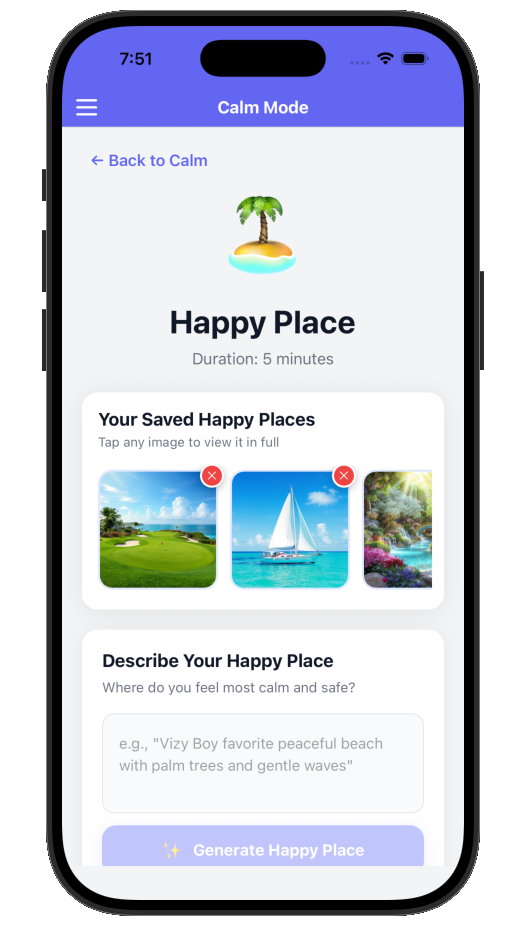
That gap, the one between "use stock" and "do all the photo work yourself," is the gap I built VizyPlan to close. The app generates a personalized illustration based on what you type, so a step like "brush teeth in the upstairs bathroom with the blue toothbrush" produces an image that looks like your child's actual world without you needing to take, crop, and upload a photo for every step.
I am not saying VizyPlan solves every problem on this list. It does not. We are iOS-first, we are newer to market than Choiceworks or First Then, our subscription model is not for everyone, and as Lisa pointed out, our time-picker still rounds to 30-minute increments, which we are working on. The point of writing the post this way is that the personalization gap is the most consistent issue parents name across every other tool in this category. If that gap is the problem your family keeps hitting, this is the use case VizyPlan was built for.
Bottom Line: Who Should Pick What
This is the part I would have wanted four years ago.
- If your household is Android, look at Brili or Tiimo.
- If you want hardware that locks down the device and the schedule lives on the same screen, look at Goally.
- If your child's therapy team already uses Choiceworks, stay with Choiceworks. Consistency between home and therapy is worth more than any feature comparison.
- If you have time to take and curate photos and one-time pricing matters to you, look at First Then Visual Schedule HD.
- If your child is older, a teen, or an ND adult who wants a calendar-style tool that does not feel like a therapy app, look at Tiimo.
- If you want both printed schedules on the fridge and digital schedules on a tablet, look at AutiPlan.
- If your child needs a bedtime routine that flexes day to day with audio and video attached to each step, look at Visual Schedule Planner.
- If your child is a pre-reader, has bounced off stock pictograms before, or you want personalized images of your child's actual world to support smoother transitions, VizyPlan is worth a free trial.
There is no single best visual schedule app for autism. There is the one that fits your child, your home, and the devices your family already uses. Start with one free trial, run a real routine for a week, and watch your child's face. That is the data that matters.
Download VizyPlan and start your 7-day free trial today. Build visual routines with personalized images of your child's actual world, reduce transition meltdowns with predictable structure, and pair the schedule with first/then boards when your child needs an extra step of clarity. Just $9.99/month after your trial, no credit card required upfront.
VizyPlan was built by an autism dad who got tired of seeing the same personalization gap show up in parent reviews of every other app. Now there is one that closes it. Start your free trial and give your child the tools to see their day and navigate it with confidence.