
Map Your Day

When the Map Stops Working after weeks of it working fine.

The map ran beautifully for two months and now your child ignores it. Nothing obvious changed, and every attempt to reinstate it has been met with a shrug.

Free 7-day trial · No email or credit card to start · Built by an autism dad and a licensed SLP

Why it works here

Why a day map helps with when the map stops working

A map that stops working has usually either become invisible through familiarity, outgrown its usefulness, or started asking for more than your child currently has. Those three causes need opposite responses, so identifying which one you have is the whole task.

You will recognize this if

  • The map worked and then gradually stopped, without an obvious event.
  • Your child completes some steps and ignores others.
  • Reinstating it with more enthusiasm has not helped.
The setup

How to set it up for when the map stops working

Takes about five minutes. Use it as written, or keep only the steps your family needs. A short setup that gets used beats a complete one that gets abandoned in week two.

  1. 1 Check first whether something changed at school or in your child's health
  2. 2 Count how many steps have quietly accumulated since you built it
  3. 3 Cut the map back to the version that originally worked
  4. 4 Refresh the photos if your child has visibly outgrown them
  5. 5 Ask your child directly what they would change, and act on the answer
  6. 6 Consider whether the routine has become automatic and no longer needs a map
The mistake most families make

Adding rewards to revive a fading map treats a design problem as a motivation problem, and it usually buys a week before the same fade resumes.

In the app

Built into the routine, not bolted onto it.

The Map Your Day lives inside the same routine your child already follows, so when the map stops working is a step with a visible length rather than a separate tool somebody has to remember to open.
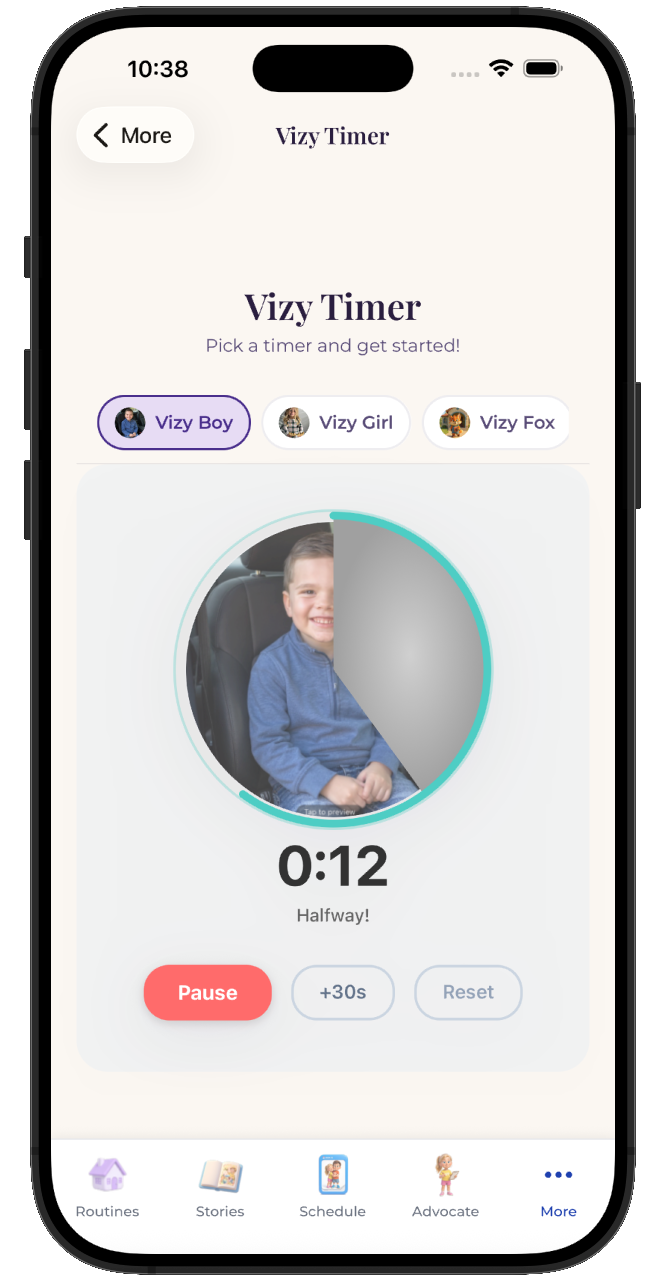
  • Attach it to any step in any routine
  • Works for pre-readers, gestalt language processors, and AAC users
  • Same setup at home, at school, and in therapy
See the step-by-step guide →
The VizyPlan Map Your Day set up for when the map stops working

Set this up for your child.

Five minutes to build, and your child sees it every time when the map stops working comes around.

$6.99/month after the free trial · Cancel anytime · Also at app.vizyplan.com

Common questions

About when the map stops working

Do visual schedules stop working over time?
They can fade from familiarity, and they can also succeed themselves out of a job. A routine that has become automatic no longer needs the support.
How do I tell the difference between fading and outgrowing?
Remove the map for a few days. If the routine continues, your child has outgrown it. If it collapses, the map faded and needs refreshing.
Should I rebuild from scratch?
Usually not. Cutting back to the version that originally worked is faster and preserves what your child already learned.

VizyPlan supports routines and communication at home and school. It is not a medical device and does not diagnose or treat any condition. Talk to your child's care team about clinical questions.