
Vizy Timer

Video Game Shutdown at a point that makes sense to them.

You gave a ten-minute warning and it landed on a child who was three minutes into a twenty-minute match. From inside the game, your timing was arbitrary and unfair, and the reaction reflects that.

Free 7-day trial · No email or credit card to start · Built by an autism dad and a licensed SLP

Why it works here

Why a visual timer helps with video game shutdown

Games are built without natural stopping points, and quitting mid-match can mean losing genuine progress. Setting the timer to the game's own structure rather than the clock respects that, which removes the sense of injustice that drives most of the conflict.

You will recognize this if

  • The size of the reaction depends on where they were in the game, not how long they played.
  • Your child asks for one more match rather than more time.
  • Quitting mid-match feels genuinely unfair to them, and they say so.
The setup

How to set it up for shutting down a video game

Takes about five minutes. Use it as written, or keep only the steps your family needs. A short setup that gets used beats a complete one that gets abandoned in week two.

  1. 1 Agree the number of matches or levels rather than the number of minutes
  2. 2 Set the timer to roughly that length so both measures agree
  3. 3 Ask what a natural stopping point looks like in this specific game
  4. 4 Give the warning between rounds, never mid-round
  5. 5 Let your child save and exit themselves rather than taking the controller
  6. 6 Name what happens next, and make it something rather than nothing
The mistake most families make

Enforcing a clock that cuts across the game's own structure creates a fight about fairness rather than about time, and your child is not entirely wrong.

In the app

Built into the routine, not bolted onto it.

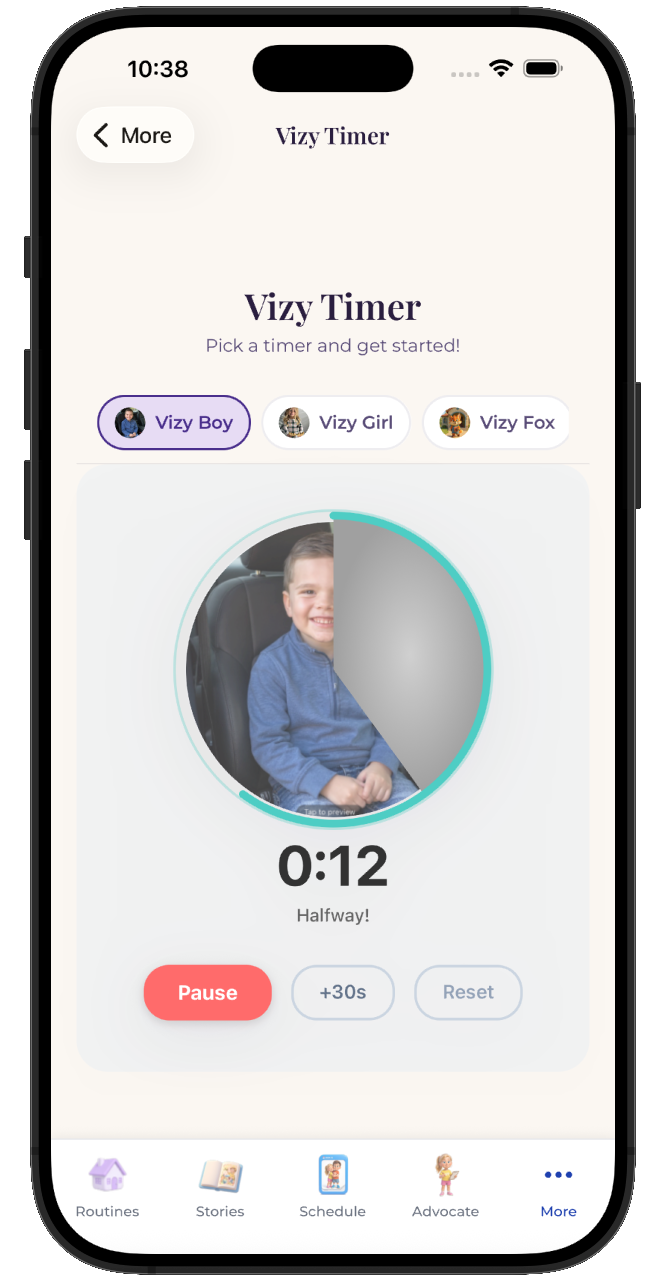
The Vizy Timer lives inside the same routine your child already follows, so shutting down a video game is a step with a visible length rather than a separate tool somebody has to remember to open.
  • Attach it to any step in any routine
  • Works for pre-readers, gestalt language processors, and AAC users
  • Same setup at home, at school, and in therapy
See the step-by-step guide →
The VizyPlan Vizy Timer set up for shutting down a video game

Set this up for your child.

Five minutes to build, and your child sees it every time shutting down a video game comes around.

$6.99/month after the free trial · Cancel anytime · Also at app.vizyplan.com

Common questions

About shutting down a video game

Should I set limits in minutes or in matches?
Matches usually work better, with a timer running alongside as a rough guide. The unit that matters to your child is the unit worth negotiating in.
What about games with no natural end?
Use in-game milestones instead, like reaching a save point or finishing a build. There is almost always some structure to attach an ending to.
My child plays online with friends. Does that change things?
It does, because leaving mid-game affects other people too. Agreeing the stopping point before they join reduces the social cost of ending.

VizyPlan supports routines and communication at home and school. It is not a medical device and does not diagnose or treat any condition. Talk to your child's care team about clinical questions.