
Visual Routines

Building a Screen Time Routine with a beginning as well as an end.

Everyone focuses on ending screen time and nobody thinks about starting it. Screen time in your house currently has no fixed shape at all, which is why it is negotiated daily.

Free 7-day trial · No email or credit card to start · Built by an autism dad and a licensed SLP

Why it works here

Why a visual routine helps with building a screen time routine

Most screen time conflict is about the absence of a routine rather than the presence of a screen. Giving it a fixed position, a fixed length, and a fixed thing that follows converts a daily negotiation into an ordinary step.

You will recognize this if

  • Screen time is renegotiated from scratch every day.
  • Your child asks about it repeatedly from early on.
  • Ending it is the hardest transition you have.
The setup

How to set it up for building a screen time routine

Takes about five minutes. Use it as written, or keep only the steps your family needs. A short setup that gets used beats a complete one that gets abandoned in week two.

  1. 1 Give it a fixed slot and a fixed length, decided in advance
  2. 2 Put a concrete activity immediately after, never a blank
  3. 3 Show the length before the device is unlocked
  4. 4 Keep it away from the last stretch before bed
  5. 5 Put the device in a fixed place at the end so putting it down is a routine step
  6. 6 Never extend at the end, and give extra at the start if you want to give it
The mistake most families make

Leaving screen time as unallocated leftover time guarantees a daily negotiation, because a slot with no fixed position is one your child has to ask about.

In the app

Built into the routine, not bolted onto it.

The Visual Routines lives inside the same routine your child already follows, so building a screen time routine is a step with a visible length rather than a separate tool somebody has to remember to open.
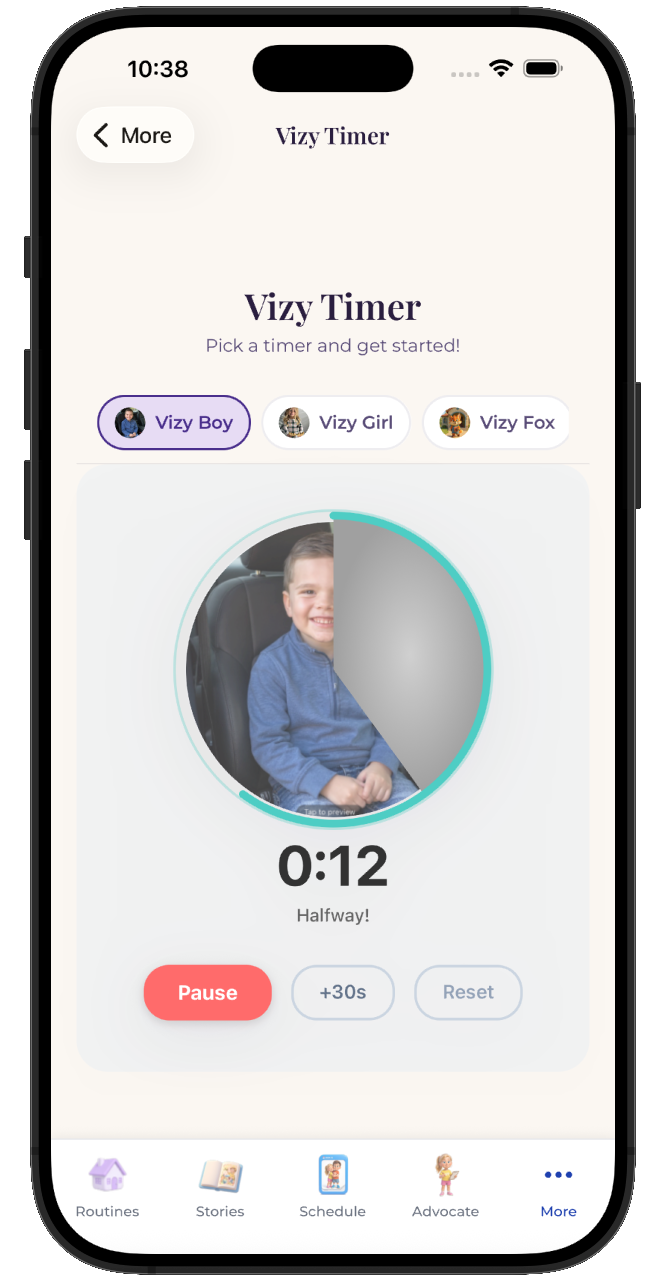
  • Attach it to any step in any routine
  • Works for pre-readers, gestalt language processors, and AAC users
  • Same setup at home, at school, and in therapy
See the step-by-step guide →
The VizyPlan Visual Routines set up for building a screen time routine

Set this up for your child.

Five minutes to build, and your child sees it every time building a screen time routine comes around.

$6.99/month after the free trial · Cancel anytime · Also at app.vizyplan.com

Common questions

About building a screen time routine

Earned or scheduled?
Scheduled works better for most families, with a small earnable amount on top. Making all of it contingent turns every day into a negotiation.
Where should it sit?
Not immediately before bed and not immediately before a demanding activity. After a demand and before something neutral is usually easiest.
How do I handle the ending?
A visible timer plus a concrete next activity, with the device going to a fixed place. The ending needs to be a step rather than an event.

VizyPlan supports routines and communication at home and school. It is not a medical device and does not diagnose or treat any condition. Talk to your child's care team about clinical questions.