Transitions and Change

Switching Between Activities with the next thing already visible.

The meltdown never happens during the activity. It happens in the ten seconds between one thing and the next, over and over, all day.

Free 7-day trial · No email or credit card to start · Built by an autism dad and a licensed SLP

Why it helps

Why a visual schedule helps with switching between activities

Every switch asks a child to stop, shift attention, and start something new, and that shifting is exactly where executive function differences show up. A visual schedule that shows the whole sequence means the next step is already known before the switch begins.

What usually goes wrong

  • The next activity is unknown until an adult announces it.
  • Shifting attention is effortful, and each switch costs more than the last.
  • The number of switches remaining in the day is invisible.

A picture-first schedule answers the same three questions every time: what is happening now, what happens next, and when it ends. Children who can see those answers stop needing to ask, and the prompting that usually falls to you moves onto the schedule instead.

The routine

What the schedule can look like

A starting point for switching between activities. Use it as written, or cut it down to the steps your child actually needs. Fewer steps that get finished beat a complete list that stalls.

  1. 1 Look at the day's schedule in the morning
  2. 2 Check the schedule before each switch
  3. 3 Two minute warning
  4. 4 Finish and put away the current activity
  5. 5 Move the marker to the next item
  6. 6 Start the next activity
  7. 7 Check off the completed item

Tip: keep the same order every time. The order is what your child learns, more than the individual steps.

How VizyPlan helps

A schedule your child is actually in.

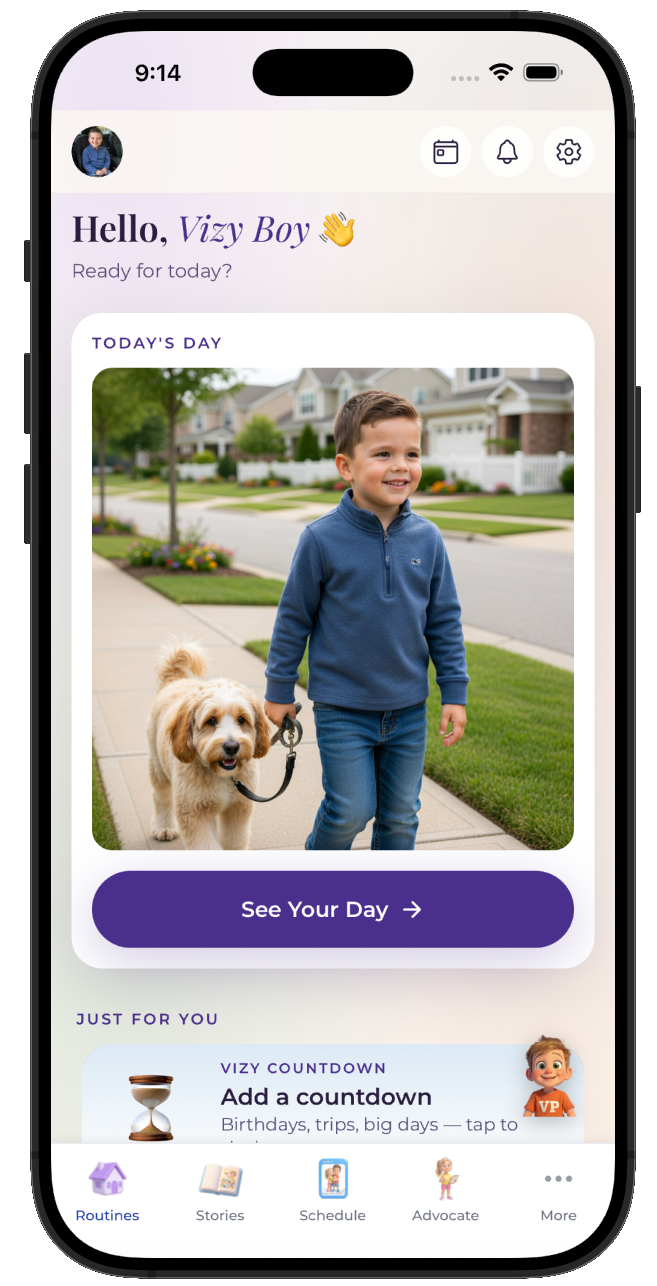
Clip art shows a child. VizyPlan generates images of your child, doing the step, in a routine you built in a few minutes.

01 · Personalized

Every step, with their own face in it.

Add one reference photo and VizyPlan generates an image of your child doing each step of switching between activities. Children attend longer to images of themselves than to generic icons, which is the whole reason the personalization exists.
  • Works for pre-readers, gestalt language processors, and AAC users
  • Reference photos are never used to train public AI models
  • Print any routine as picture cards for low-tech settings
A VizyPlan visual schedule for switching between activities
02 · Prepared

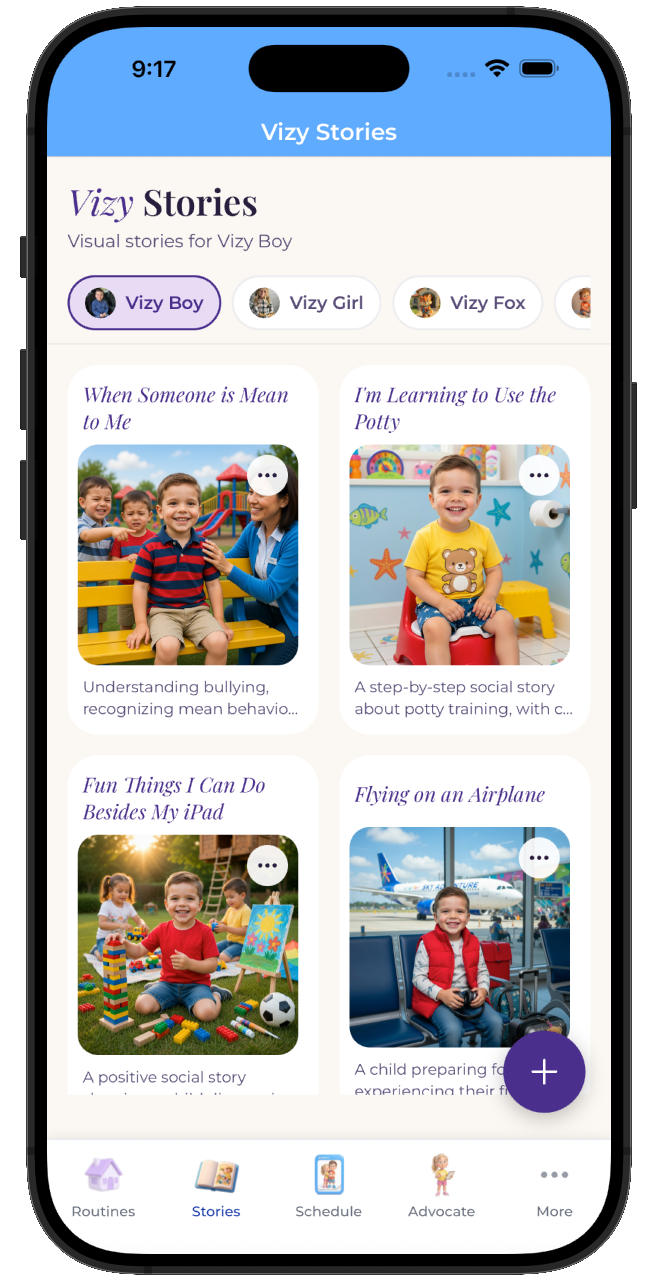
A social story before the moment hits.

One tap turns switching between activities into a picture-by-picture story your child reads at home, days before it happens. A child who has already seen it arrives prepared rather than surprised.
  • Read it as many times as your child wants beforehand
  • Share it with the other parent, a grandparent, or a provider
  • Edit any page so the story matches your actual plan
A personalized social story preparing a child for switching between activities
03 · Regulated

Timers and calm tools one tap away.

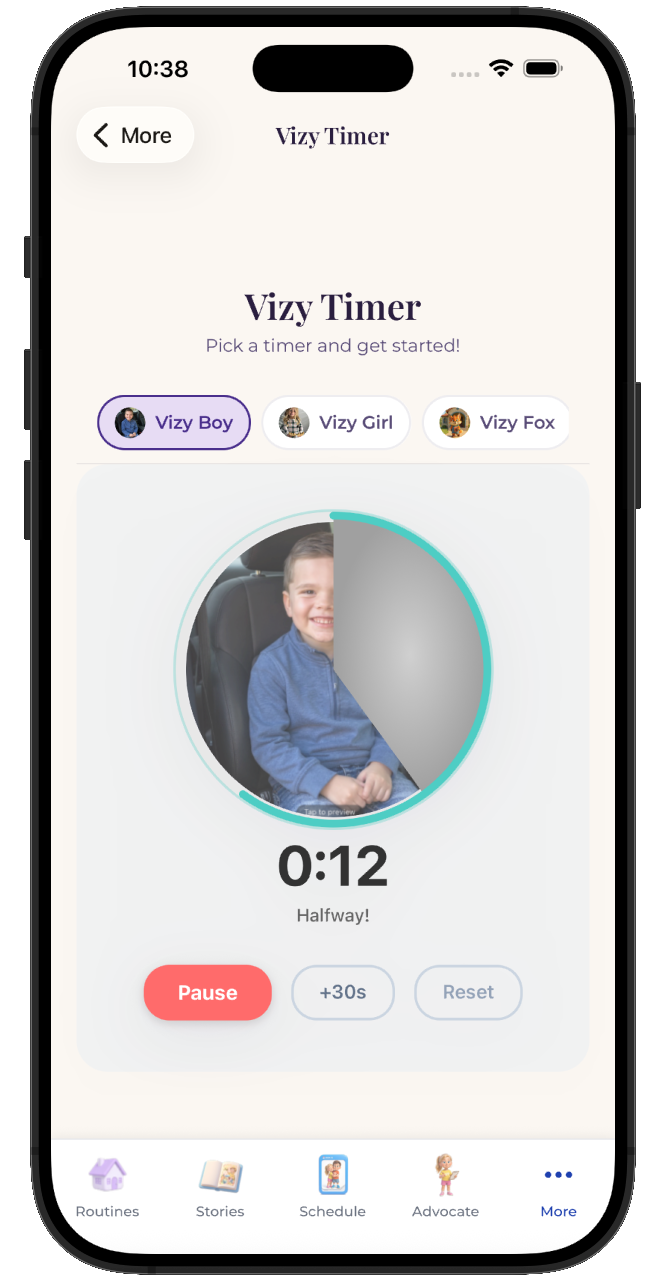
Most of the hard moments in switching between activities are timing problems. A visual timer that depletes on screen makes the ending visible, and breathing and grounding tools are available from any screen when the plan goes sideways anyway.
  • Visual timers and countdowns for every step
  • Breathing, color, and grounding tools built in
  • Points and stickers for the steps your child finished
VizyPlan visual timer counting down a routine step

Make this schedule for your child.

Set up switching between activities in about ten minutes, with images of your own child on every step.

$6.99/month after the free trial · Cancel anytime · Also at app.vizyplan.com

Common questions

About switching between activities

How many transitions can a child handle in a day?
It varies widely, and transition tolerance drops as the day goes on and fatigue builds. Grouping activities to reduce the number of switches often helps more than improving each individual switch.
Should the schedule show the whole day?
Show as much as your child can handle without anxiety, which for some is the full day and for others is the next two items. First-then boards exist precisely for children who find a full day overwhelming.
What is a transition object?
A transition object is something your child carries from one activity to the next, providing continuity through the switch. A toy that belongs to the next activity works especially well.

VizyPlan supports routines and communication at home and school. It is not a medical device and does not diagnose or treat any condition. Talk to your child's care team about clinical questions.